 HICUT Video Editor
Best Video Editing Software for Beginners
It supports video editing, add subtitles, video dubbing, and more!

Video editor for beginners

Rich and powerful subtitle material library

Intelligent and efficient audio processing

Multiple and high-quality material libraries
Video editor for beginners
Edit, merge, delete, rotate, crop, and adjust speed with one click, convenient and fast. Drag materials at will, cut multiple tracks at the same time. It is a one-click video editing experience. You can get started quickly without any basic professional experience.
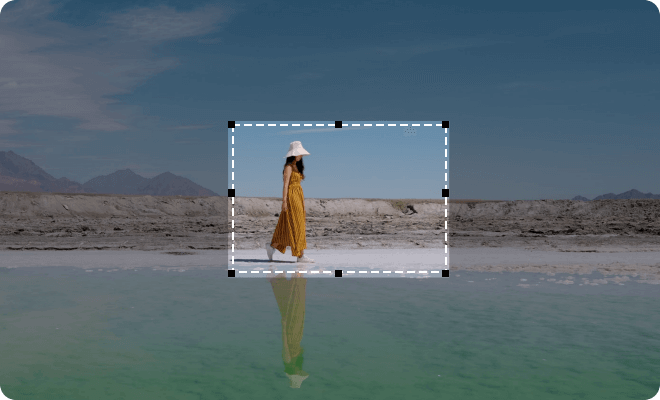
Video editing creation is so magical

Text to speech
Unique text-to-speech function, supports Chinese and English languages, etc., automatically generates and adds subtitles, making video editing more efficient

Picture-in-picture editing
Freely embed multiple picture-in-picture in the video, multiple picture-in-picture video tracks, multi-track operation, frame-by-frame editing, making editing easier

Green screen cutout
Use the green screen cutout to modify the video background and achieve amazing special effects
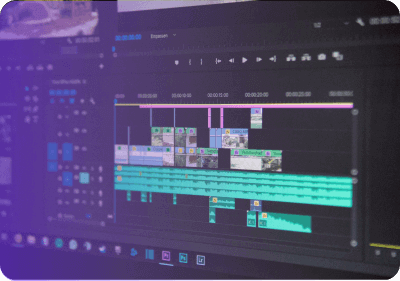
More advanced features
Support import and export of project engineering files, realize cross-computer video editing Support video variable speed adjustment, arbitrary variable speed, audio mixer, professional-level tuning, to meet the audio adjustment needs of different tracks
Ready for All Scenes
SHORT VIDEO


LIFE VLOG


TUTORIAL


TRAVEL STREET SHOOTING


ANIMATED SHORT


FILM AND TELEVISION MIXED CUTTING


COMMERCIAL ADVERTISING


MICROFILM


Use Hicut Video Editor to start your wonderful video editing journey
 Free Download
TOP
Video Editors' Review
Ulrica
My first introductory tool was the Hicut Video Editor. This tool is rich in functions, easy to use, and brought me a rich video editing experience.
Gian
Hicut Video Editor is very simple and easy to use. It has a rich and high-quality material library, a powerful subtitle library, etc., allowing you to edit videos in your own way and perform video editing in a smart way.
Elise
I am an old user of Hicut Video Editor. The unique text-to-speech function of this video editing tool has helped me a lot. It is stable and does not crash. I highly recommend this tool. It is really easy to use.
Mary
As a person who loves to record life, there is really a huge demand for video editing. Hicut Video Editor allows people with no editing background to produce videos in batches.