


 Pricing


 935
935



PPT to PDF is often used in our daily work. After we create a beautiful PPT, in order to better transmit and send it to others, we usually perform the PPT to PDF operation. Many people dont know how to convert PPT to PDF. Lets take a look with me! Today I will introduce to you a method
Our work is inseparable from related professional office software such as ppt. In order to make better use of these software and to complete our work better, we need to have a sufficient understanding of these office software, so as to effectively improve our work efficiency . At work, we often need to convert PPT to PDF. Next, I will introduce the relevant steps on how to convert PPT to PDF. You can learn it.
First, we need to open the online PDF conversion platform: www.pdfasset.com
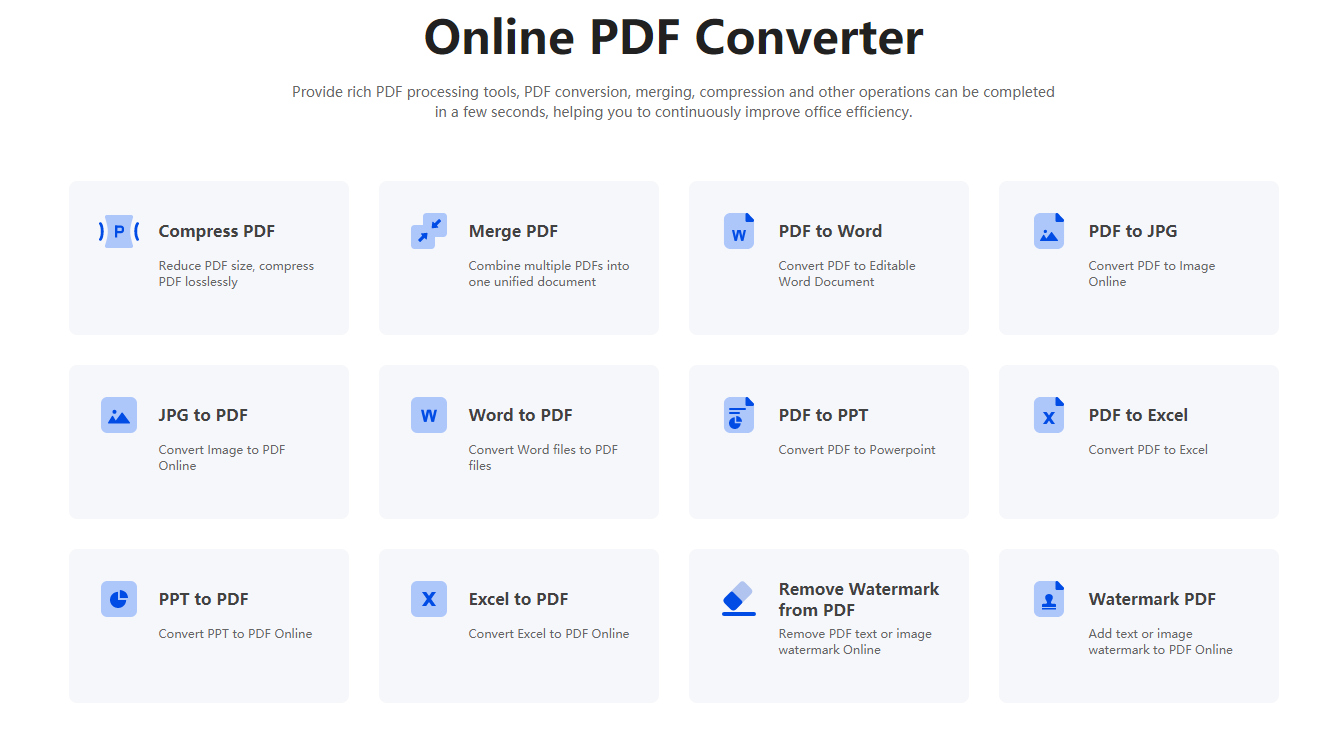
Next, click the "PPT to PDF" icon to upload the PPT that needs to be converted
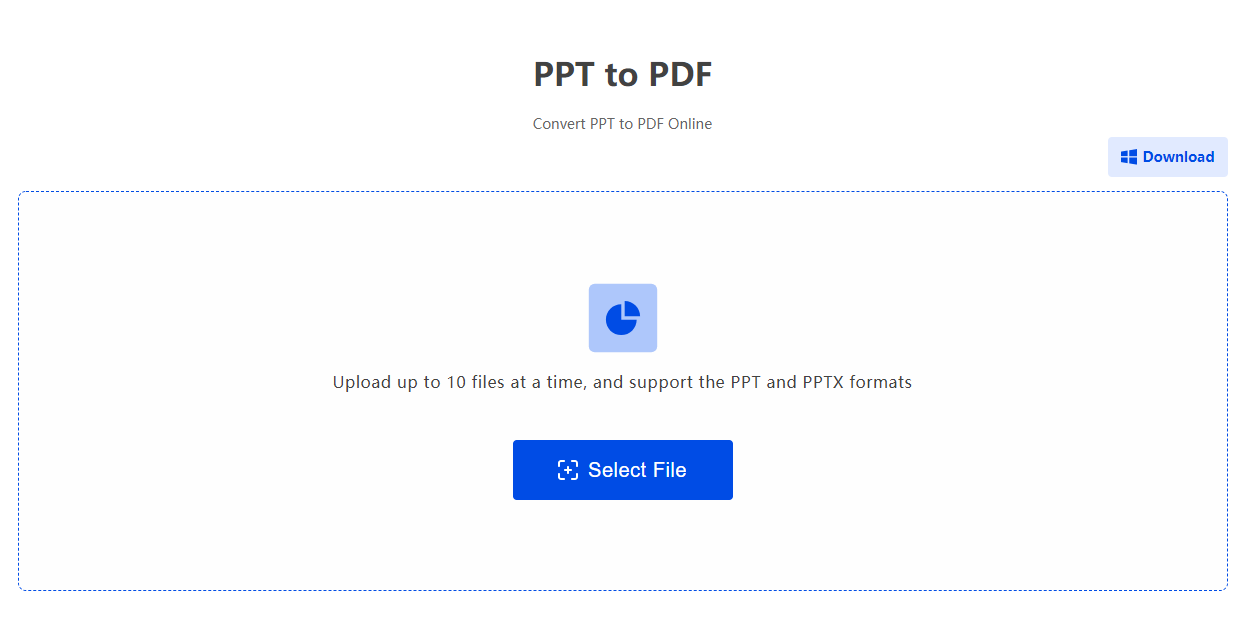
Then, wait for the file to be uploaded and click the "Start Conversion" button to complete the conversion of PPT to PDF
Finally, wait for the conversion to complete and download the file.
Converting PPT to PDF is not difficult, but because we often use this step in our daily work, we need to have a sufficient understanding of the relevant steps. The above has introduced the relevant operations of PPT to PDF to you. I believe that everyone has learned the operation of PPT to PDF. Go to the website to experience it!


